cff
Showing posts with label Matchmover. Show all posts

Wednesday, 9 April 2014

Tracking Update

Today Phil and I had a chat about what had been going on with my tracking. We came to the conclusion that at this point in time continuing to try and track footage that Matchmover was not responding to very well would not be the most productive of things to do in the amount of time left on the project as there is no guarantee that it will eventually track correctly being that the quality is not very good.

Instead, I will be using the much better quality photographs I took while at Somerset House to set my garden in. Of course the animation of my objects, the sound-scape and everything else I intended to do to my footage to make the garden as authentic as possible will still feature in the stills, the only change is that there is no camera movement now. This is something I intend to try and achieve in After Effects.

These are all of the photographs I captured at Somerset House, I'm glad to say I managed to get one for each corner and side so I should be able to do a lot with them. The only thing I need to do to them is Photoshop my tracking markers and equipment out because even with the chance of covering them with objects, there is still the possibility that not all of them will be covered or that they will be covered with translucent objects.

Another thing might be to crop and straighten some of them up a bit because a few are noticeably wonky which is a bit off putting to look at. 


Tuesday, 8 April 2014

The Tracking Process... So Far

I spent the weekend sitting at the computer sticking lots of little crosses all over my footage in an attempt to track it for Maya. It's actually quite therapeutic clicking away at this, that is until you realise you've spent a good few hours at it and it's still not working or it tricks you into thinking it is and oh no, nope it isn't.
Yet, I can say I still enjoyed myself as it was something different from what I normally do. That is not to say it is working now though!

For the tracking of the footage to be successful you have to look out for several things.

- All tracking points are corresponding to distance.
- They are not behind the footage or the camera.
- Or sitting in the camera.
-The points do not jitter about on the spots they are tracking.
- Any grey points are not being used usefully in the track.
- Red points must be fixed or deleted.
- A clean sweep of green points is normally heading in the right direction.
-The grid/coordinate system must be positioned in a suitable way.

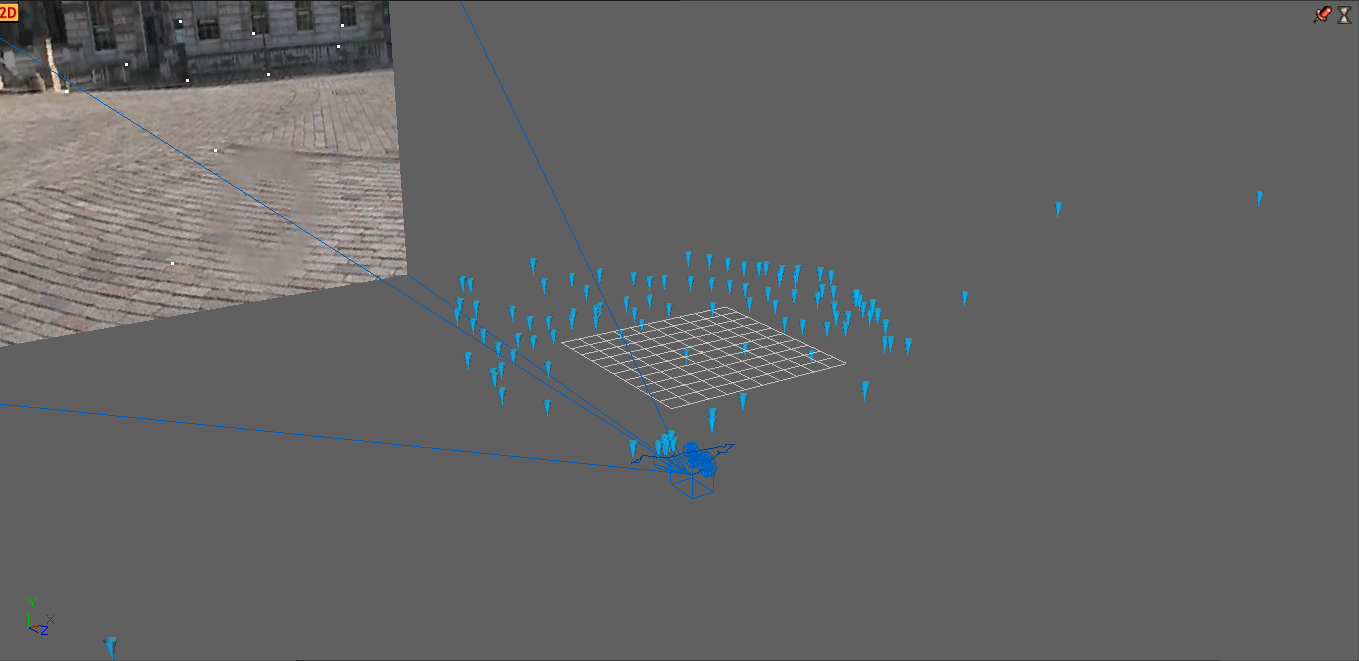
Unfortunately it looks like my footage doesn't want to be tracked as after another go tonight after talking with Alan I am still to get anywhere further with it. There are still jittering points showing the track has not been fully successful and other things such as points behind the camera and footage or even inside the camera are still appearing. Matchmover sometimes decides to take a fully green list of tracks and turn lots of them red or yellow after solving to the camera again which is not a good sign as well.

However, here are some screenshots of my tracking process.

Points are all green!

Adding the points and solving to camera.

Cleaning up the tracks.

Getting a courtyard type shape from the points in 3D view.

Points behind the camera.

Points inside the camera!

3D cones corresponding to tracked points on footage.

Wednesday, 23 October 2013

Part 4: Masked Auto Track

For part four of matchmover we masked off someone going past the camera so that if something was put on the truck the track wouldn't be interupted.

Process Shots.


Part 3: Target Tracking and Scene Building

This time we roughed out the scene in blocks in maya and texturing these using the use background shader and the tracking placed an object which was lit to make it look like it sat in real world terms to the background.

Friday, 18 October 2013

Matchmover Part 1: Auto Tracking

This was my first time using matchmover, I found it pretty simple to get around with the help of the tutorial and here is my result from using it.